![Image 28-09-2023 at 11.59.jpeg]](https://141891062.hs-sites-eu1.com/hs-fs/hubfs/Image%2028-09-2023%20at%2011.59.jpeg?height=50&name=Image%2028-09-2023%20at%2011.59.jpeg)
If you'd like to see a video on how to add Paternity and Maternity Leave into the system just see the below walkthrough:
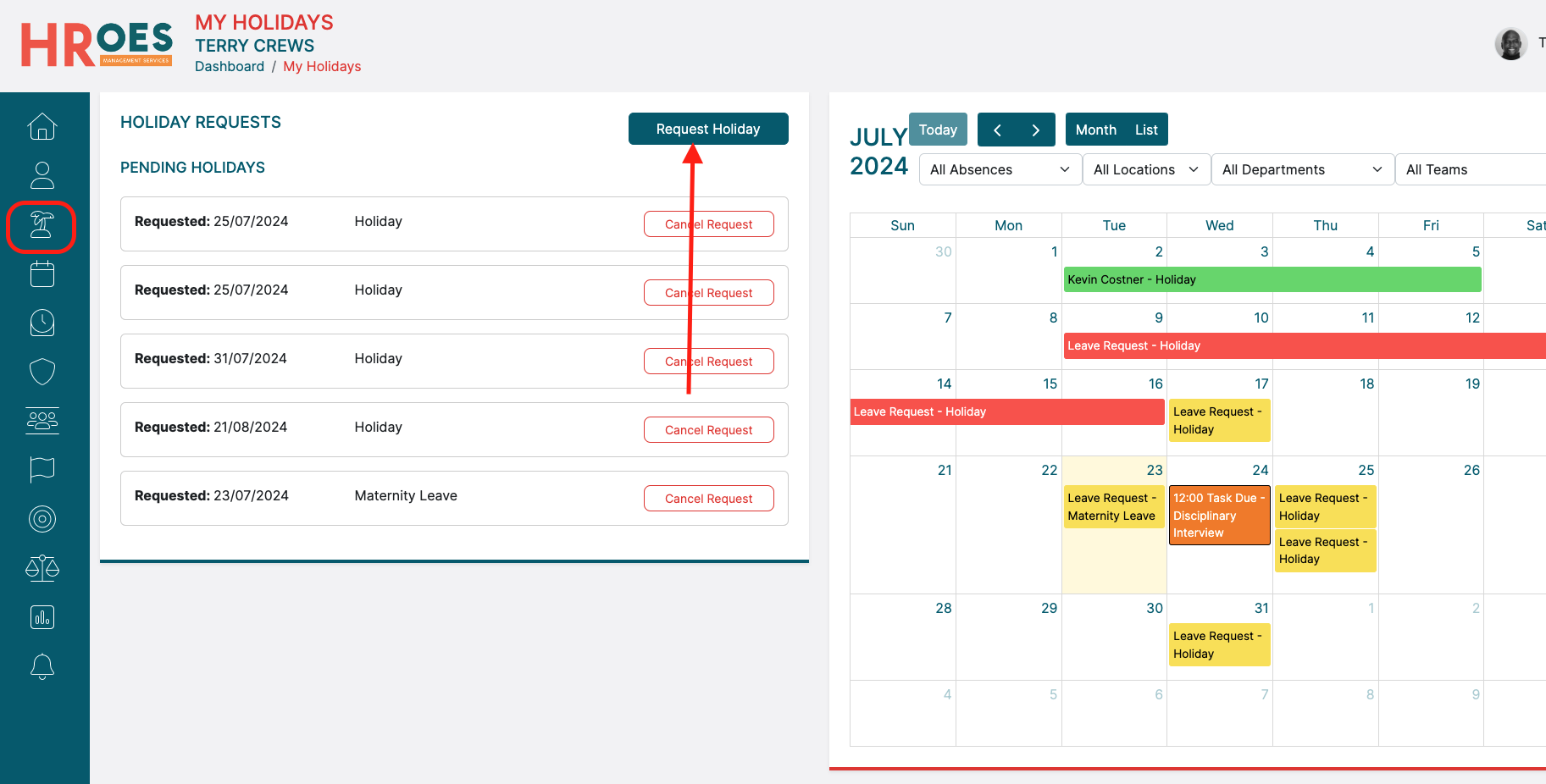
You can also add a Maternity or Paternity request by selecting "Book Holiday" from your dashboard, or by selecting "Request Holiday" within the "My Holidays" tab:
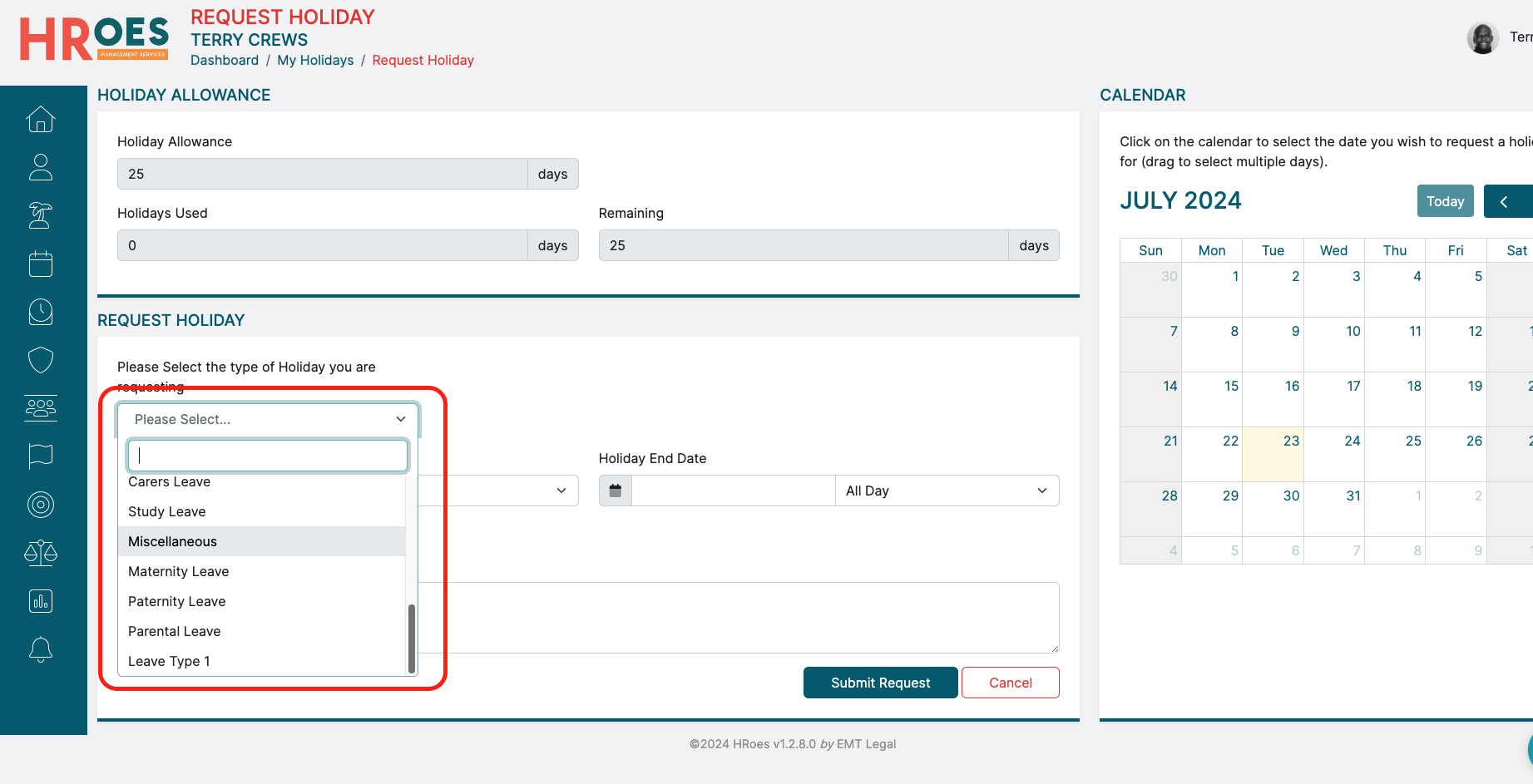
In the resulting window, when selecting "Holiday Type" you can select either Maternity or Paternity:
Once the type of leave is selected, just add the dates of your leave and any additional details in the text box at the bottom of the page:
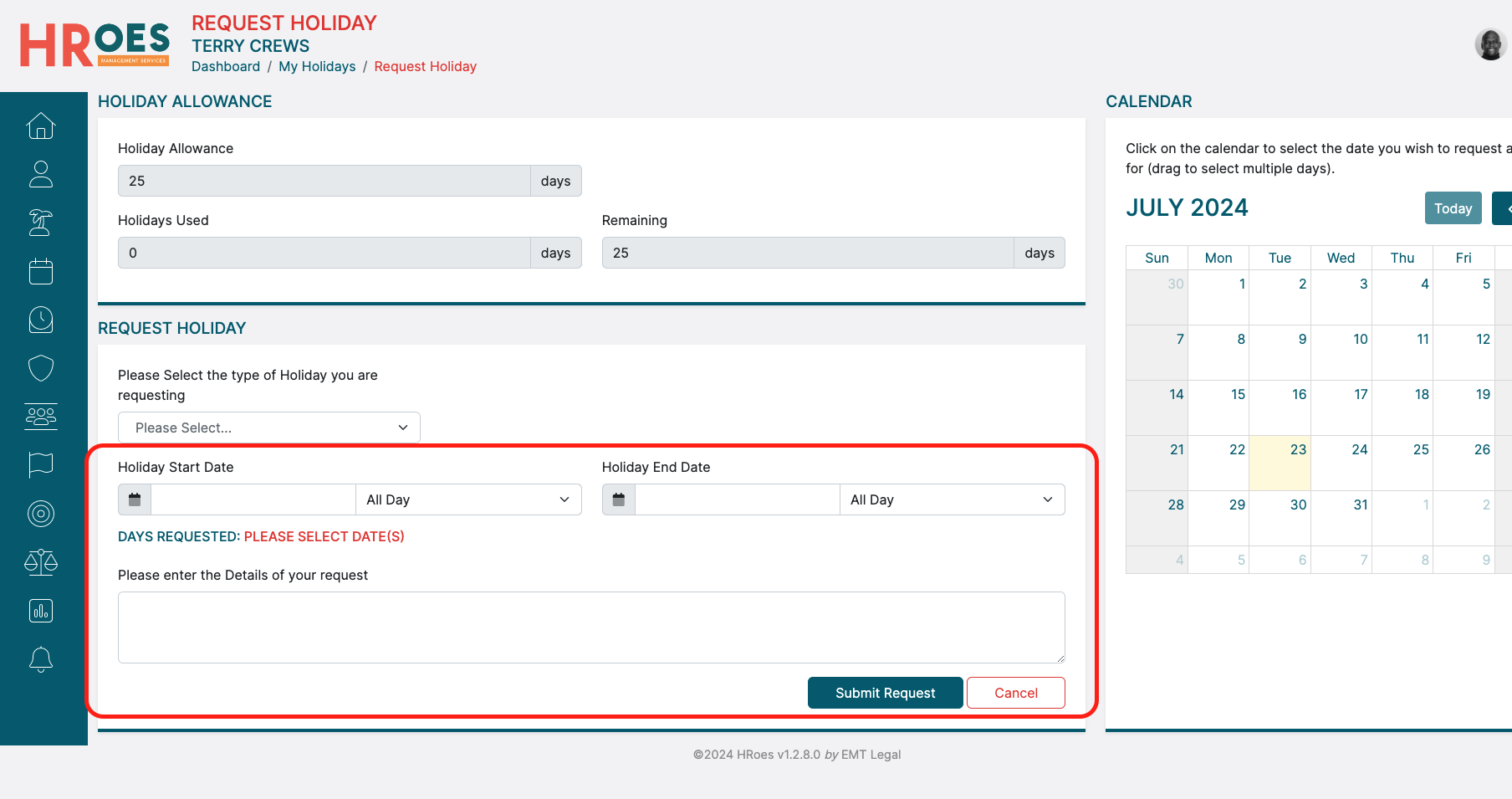
Finally, simply select "Submit Request" to send the request to your Manager.