![Image 28-09-2023 at 11.59.jpeg]](https://141891062.hs-sites-eu1.com/hs-fs/hubfs/Image%2028-09-2023%20at%2011.59.jpeg?height=50&name=Image%2028-09-2023%20at%2011.59.jpeg)
If you'd like to see a video on how to amend your Contact details, please review our Employee Walkthrough video linked below:
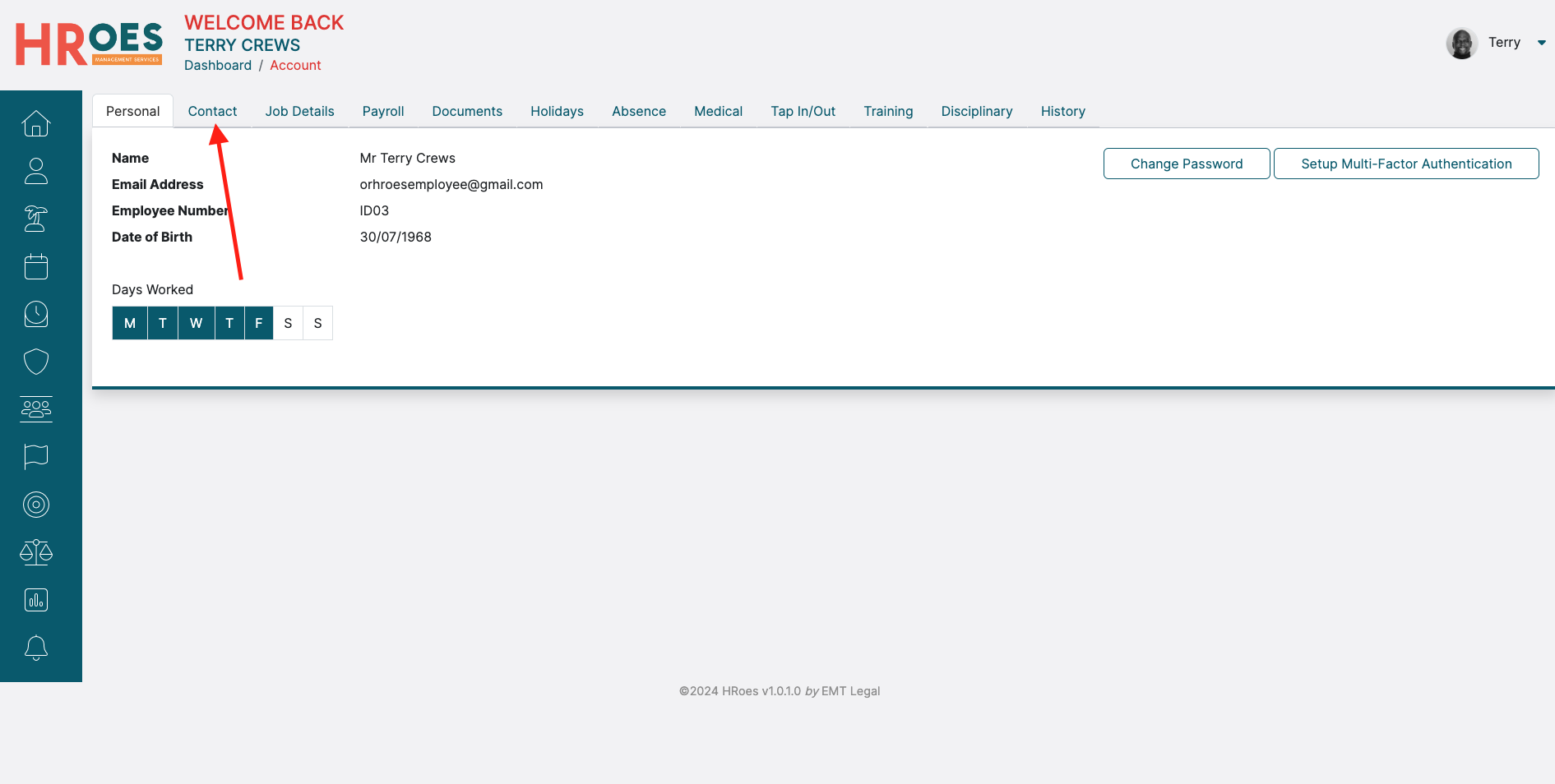
Alternatively, first go to your "My Account" tab and select the "Contact" tab across the top of your profile:
In the resulting "Contact" tab, you can amend your own Address and Telephone details, as well as your Next of Kin details:
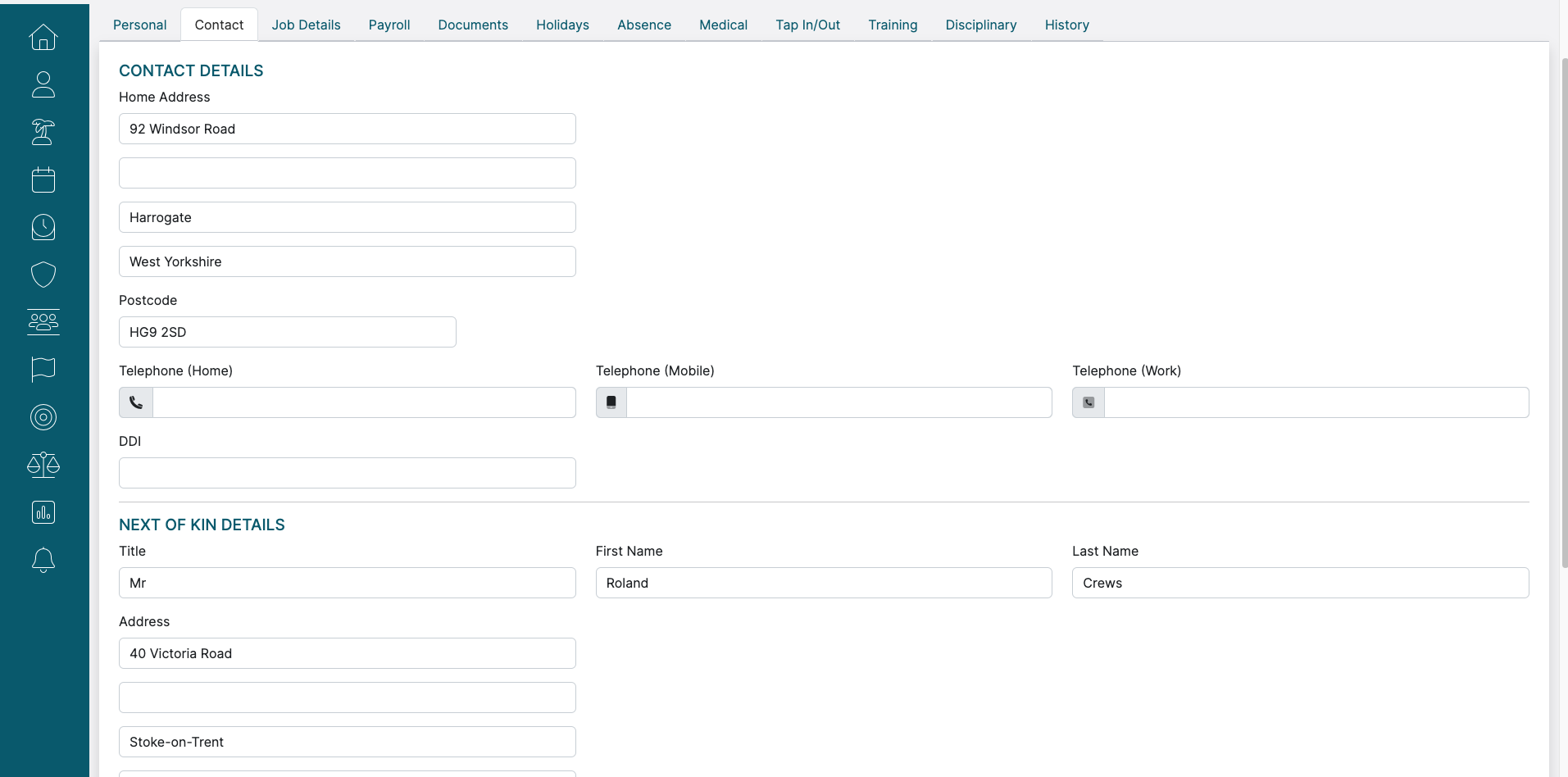
Once you're happy with the data that you've entered or amended, just scroll down to the bottom of the screen and click "Save Changes".