![Image 28-09-2023 at 11.59.jpeg]](https://141891062.hs-sites-eu1.com/hs-fs/hubfs/Image%2028-09-2023%20at%2011.59.jpeg?height=50&name=Image%2028-09-2023%20at%2011.59.jpeg)
If you are using a Windows machine, please see the below steps to add your merge tags in Microsoft Word.
First, select "Insert" and then navigate to the right of that menu across the top of your screen to select "Quick Parts":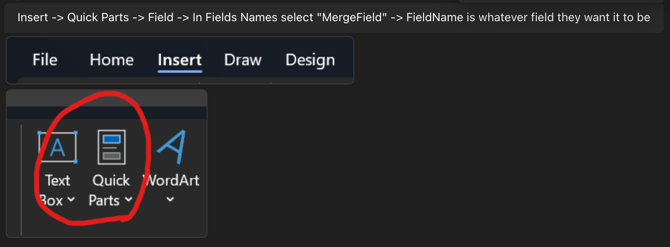
In the resulting menu, choose "Field" and a new Field window will display. On the left-hand scrolling menu, choose "MergeField" and then paste your field name in the "Field Name" area at the top of the Field window: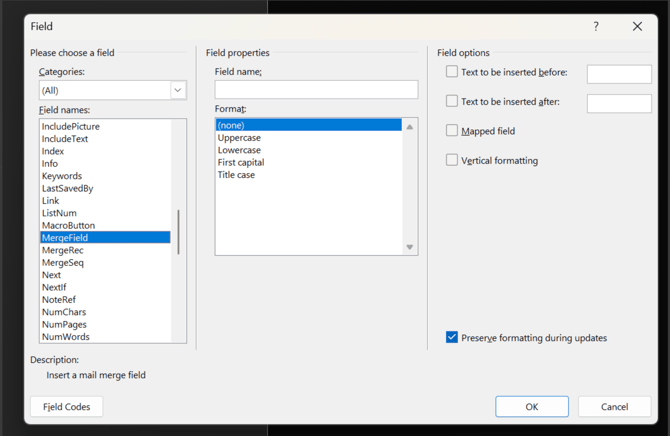
Click "OK" to then add your field.