![Image 28-09-2023 at 11.59.jpeg]](https://141891062.hs-sites-eu1.com/hs-fs/hubfs/Image%2028-09-2023%20at%2011.59.jpeg?height=50&name=Image%2028-09-2023%20at%2011.59.jpeg)
If you'd prefer to watch a video on this process, please see below:
To setup Onboarding and Offboarding Tasks in your system, first go to Settings and locate the option for Onboarding Tasks under "Manage your Company Settings". In the resulting page, click "Add Task" to begin setting up your Task.
In the resulting screen, you can choose the type of Task, who it will be sent to and any details alluding to the Task itself:
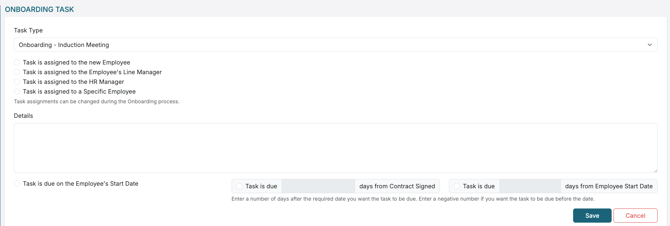
You can slo set when the Task is due, based on either the date the contract is signed or the employees start date.
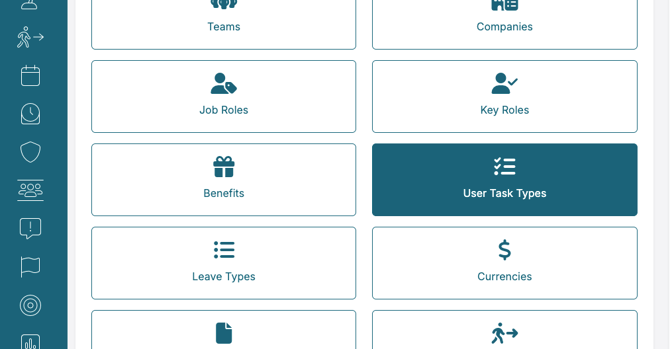
Note that if you cannot see the Task Type you want to add that Task under, simply go back to your Settings page and add it under "User Task Types":
Back in the same Settings area, you can also add Offboarding Tasks.
These work in the same way as Onboarding Tasks, but will be available at the end of the Leaving process within an employee's profile. These Offboarding Tasks trigger based on the employee's final day of employment, as opposed to the two stipulations in Onboarding Tasks.